Highlight
This is the final wrap-up in our Unity Catalog migration series. These are the practical tips we landed on after the migration, the ones that would have saved us time if we had known them before we started.
Tip 1: authentication and mountpoints are not the same in UC
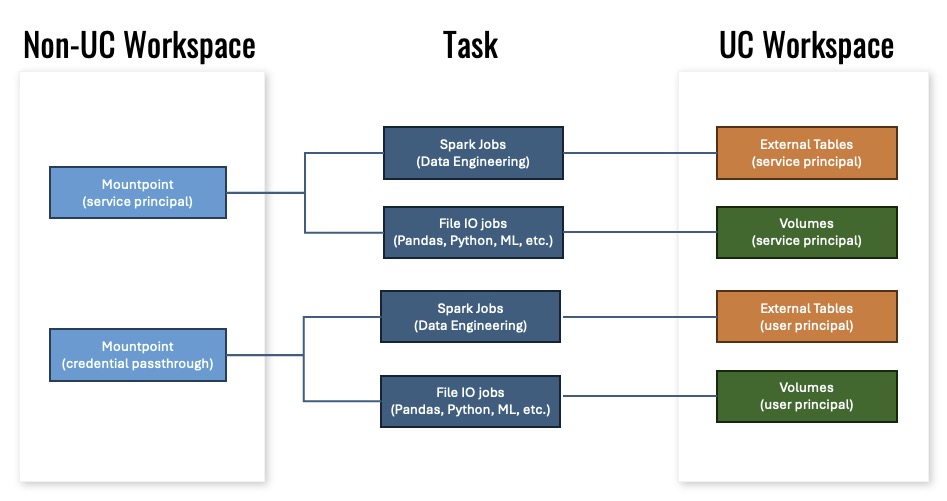
The first slide is the one I keep returning to. In the old non-UC world, mountpoints were the main access pattern. In UC we discovered two distinct access models:
- External Tables / Volumes with service principal for managed workloads,
- External Tables / Volumes with user principal for interactive or ad-hoc jobs.
The reality is: if you move a workspace to UC, do not assume the same mountpoint authentication will behave the same way. Design both service principal and user principal paths.
Tip 2: workspace admins are not Unity admins
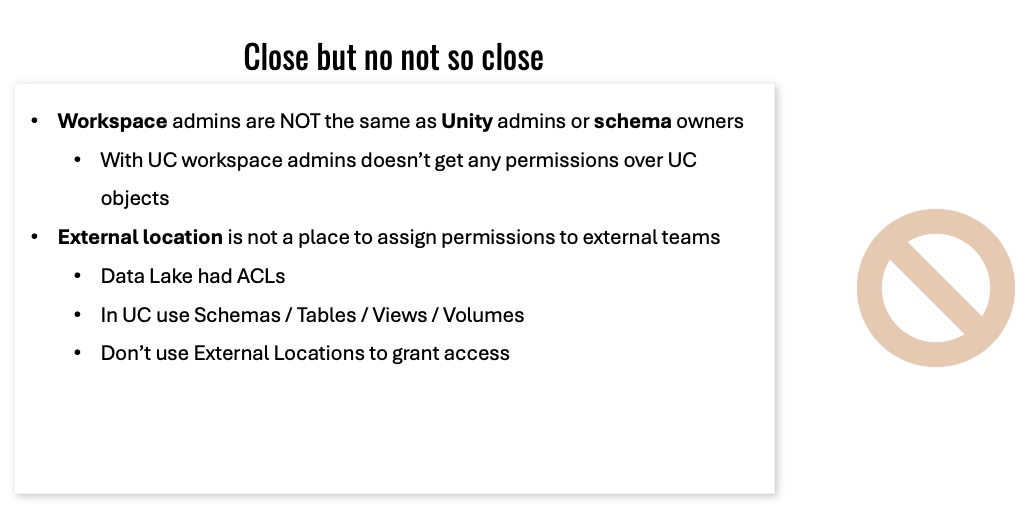
This slide is a simple but critical warning:
- workspace admins do not automatically get permissions over UC objects,
- external location is not the place to assign access to external teams.
In UC, use schemas, tables, views, and volumes for permissioning. External locations are connectors, not access grant targets.
Tip 3: one environment can have many catalog bindings
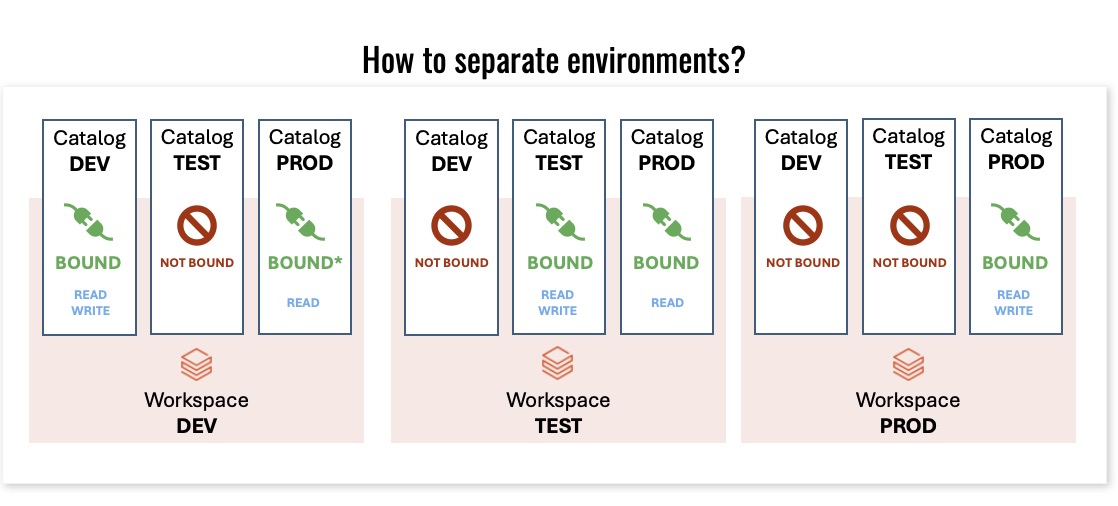
This slide shows how environments can be separated by binding state. The important rule is:
- Bound means a workspace has explicit read/write access to the catalog,
- Not bound means the workspace can only read.
That gives you a safe model for dev/test/prod without accidentally exposing data across environments.
Tip 4: decide whether catalog = search index or catalog = workload boundary
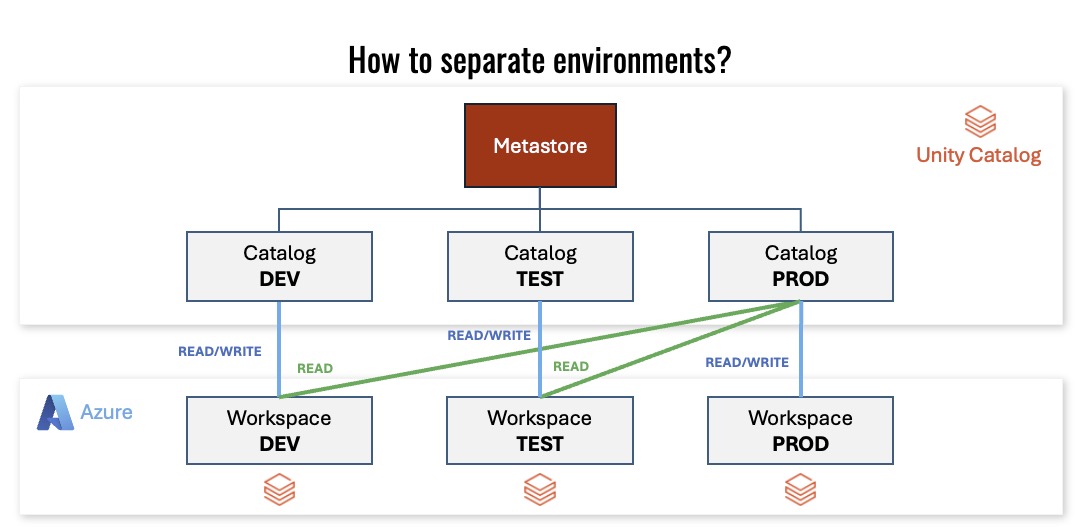
We chose to make one catalog span our subscriptions because we wanted the ability to find all data in one place.
That is a design decision, not a product rule. Your organization may choose multiple catalogs per subscription or one catalog across subscriptions. The key is to make that decision explicit.
Tip 5: use dedicated clusters for migration compatibility
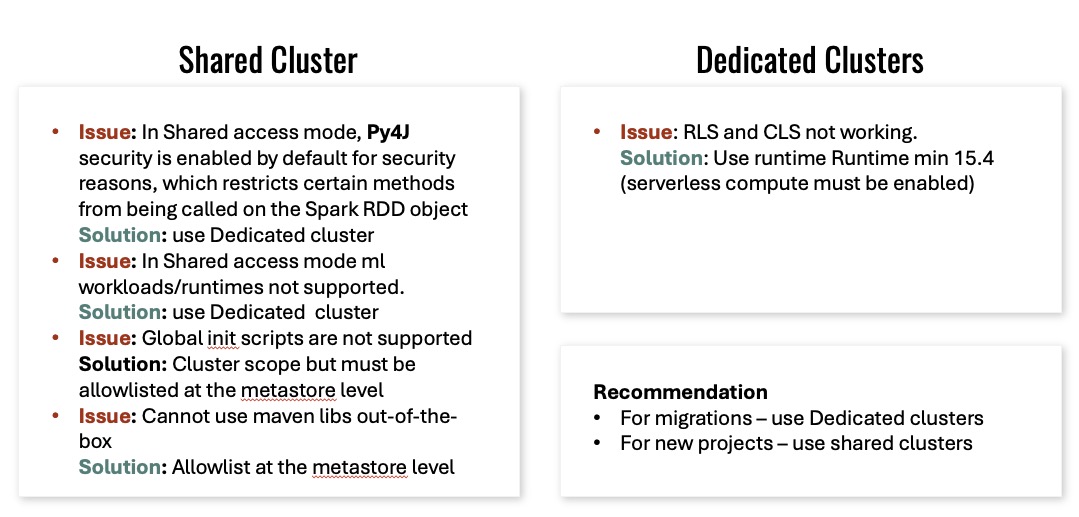
The shared cluster slide is one of the cleanest migration signals:
- Shared access mode enables Py4J security restrictions,
- shared mode blocks some ML runtimes,
- init scripts need metastore-level allowlisting,
- Maven libs often fail out of the box.
Our migration path was: dedicated clusters for migration, shared clusters for greenfield.
Tip 6: assign everyone broad catalog user access, not admin access
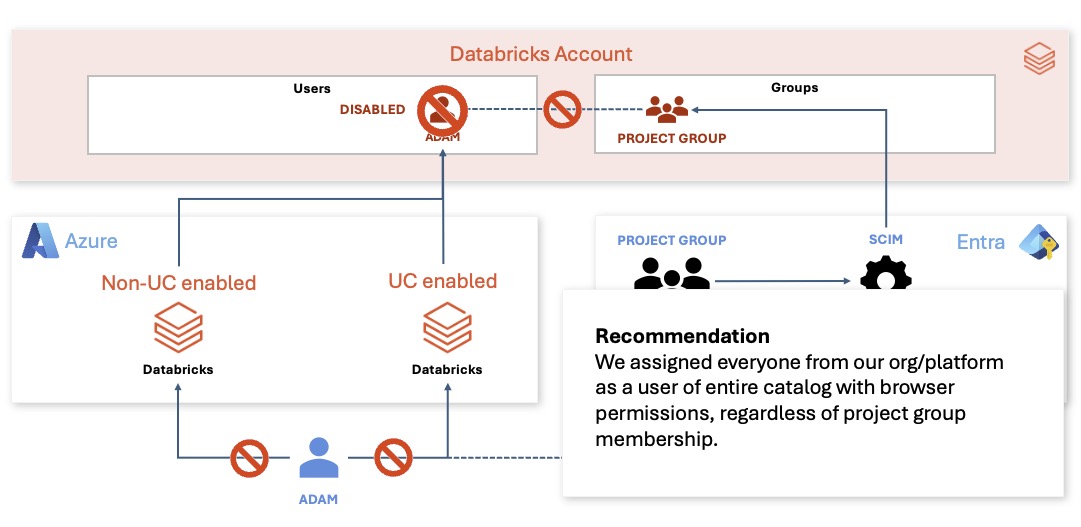
The recommendation on this slide was exactly what we did: assign everyone from the organization as a user of the entire catalog with broad consume rights, regardless of project membership.
That kept discovery easy while preserving control through project group permissions on schemas and external locations.
Tip 7: SCIM was the painful baseline
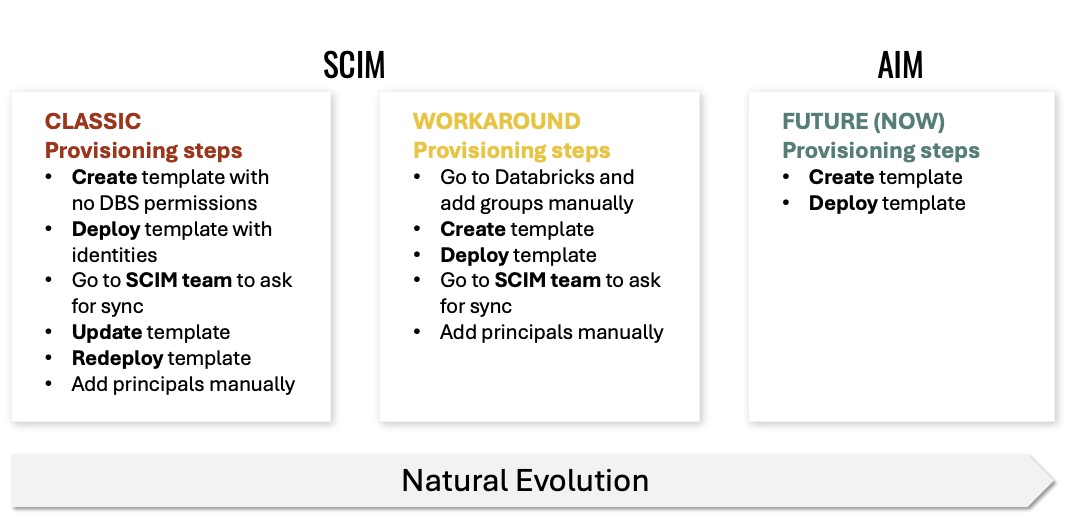
This slide captures the old SCIM story:
- classic provisioning required templates, manual identity changes, and sync requests,
- the workaround added manual group creation and principal assignments,
- the future path was supposed to simplify this.
If your onboarding still feels like a template-and-sync marathon, you should be paying attention.
Tip 8: AIM is the practical future of identity management
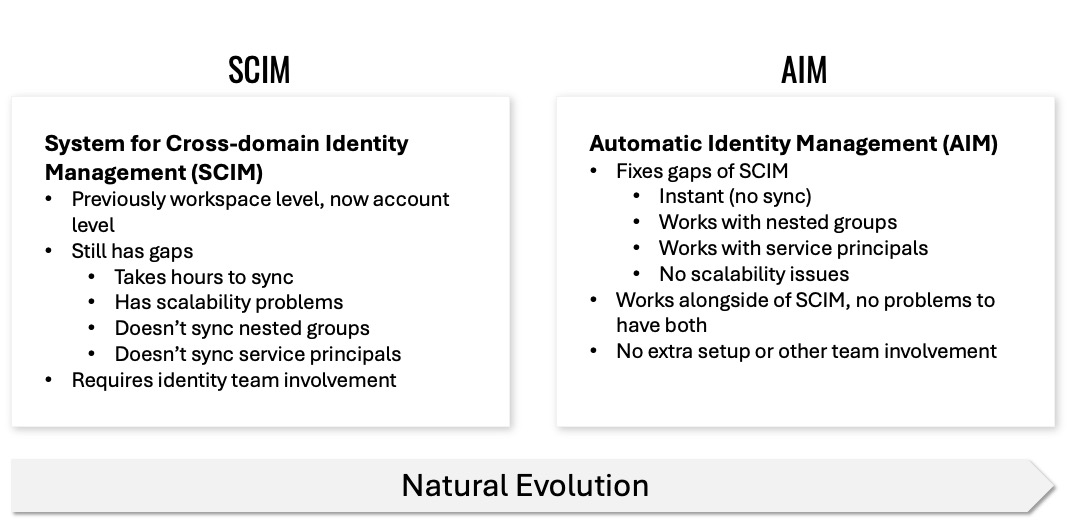
The comparison slide is the one I say out loud every time:
- SCIM takes hours to sync,
- SCIM doesn’t sync nested groups or service principals well,
- AIM is instant, supports nested groups, works with service principals, and has no separate team involvement.
If AIM is available for your account, use it alongside SCIM.
Tip 9: the folder hierarchy is less important than the registration pattern
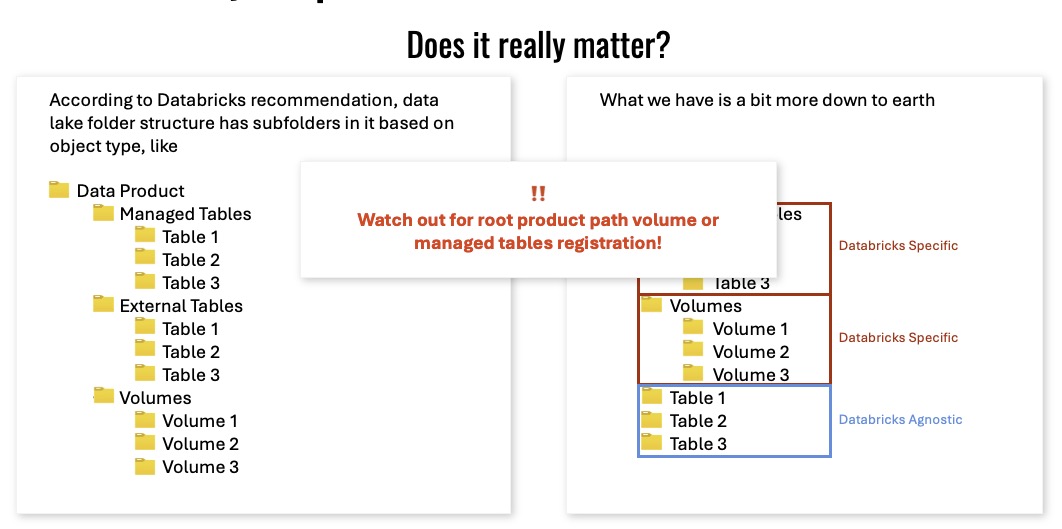
The “Does it really matter?” slide is the warning: watch out for root product path volume or managed tables registration.
Databricks may recommend a deep folder structure, but the bigger issue is when registration paths become hard to track. Keep the structure sensible and consistent, and make sure your managed tables and external tables are clearly separated.
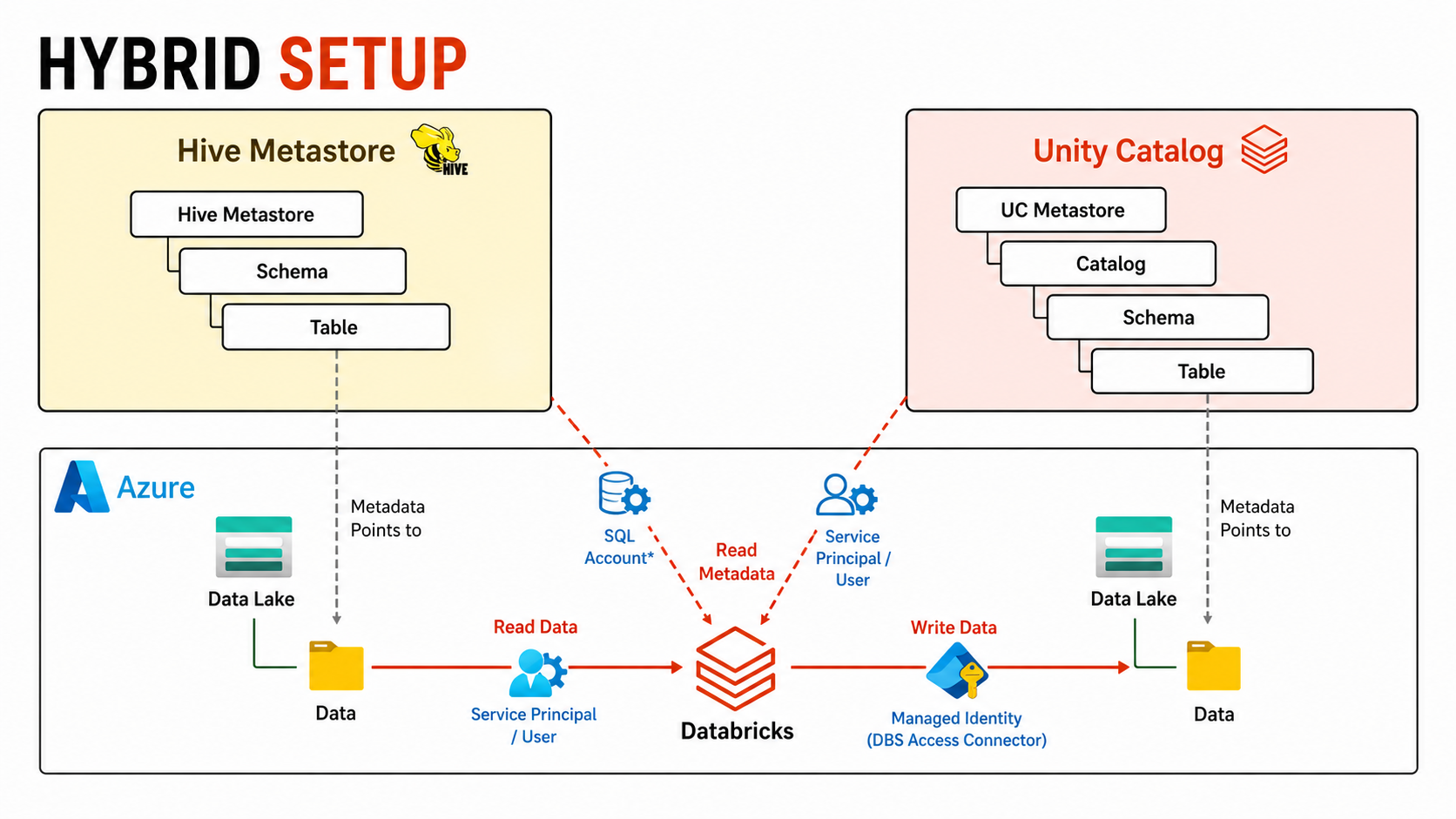
Tip 10: hybrid Hive + UC is the real migration path
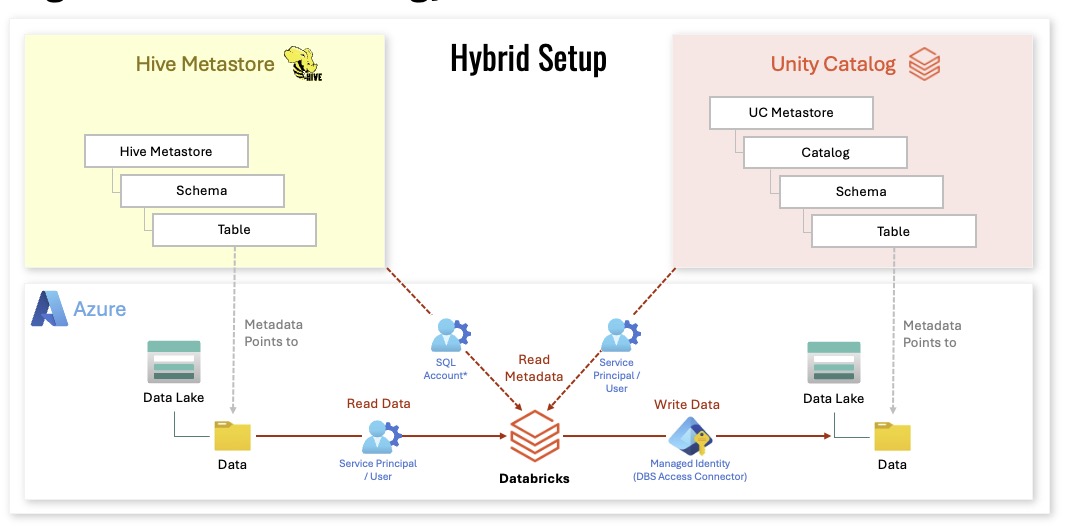
This hybrid setup slide is the reality for many migrations.
You can keep Hive as a metastore while introducing Unity Catalog as the access layer. The two can coexist during transition, which is often the safest approach.
Tip 11: Hive was just a metastore, UC is more than that
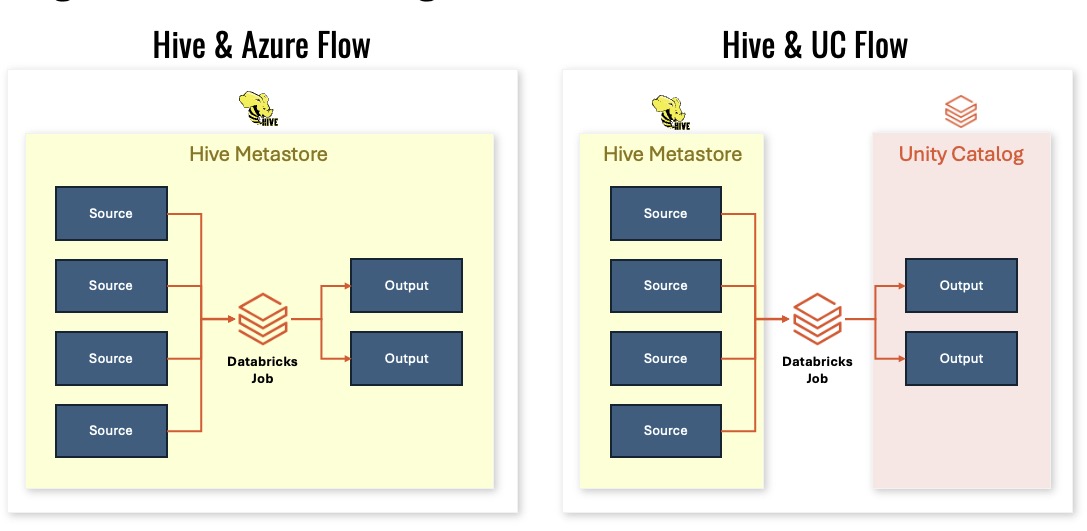
In the old model:
- Hive was a metastore,
- permissions were assigned on the lake with ACLs,
- mountpoints carried embedded authorization,
- runtime checks happened dynamically.
That meant the old setup was distributed across many places. UC centralizes the permissions model.
Tip 12: UC is metastore plus access layer
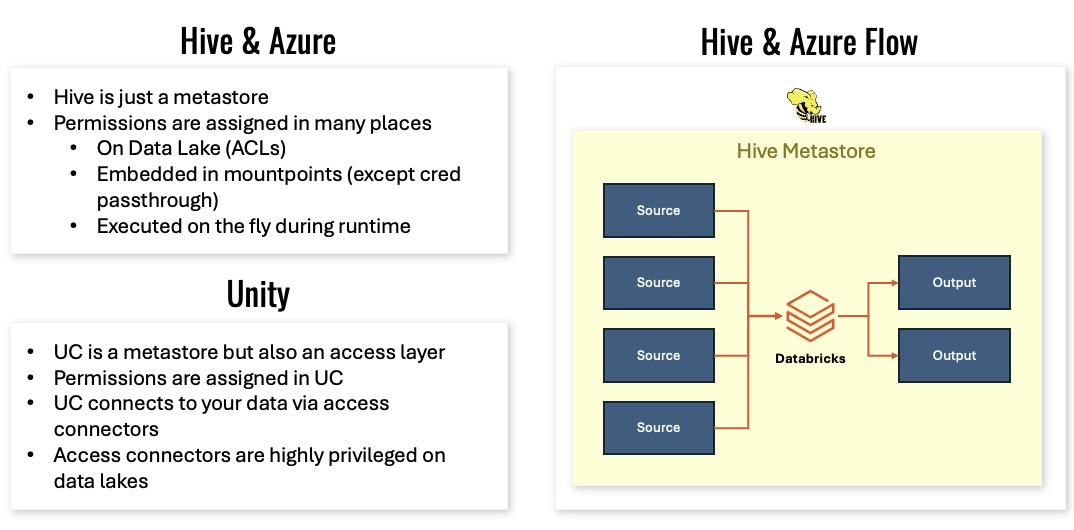
This slide nails the point:
- Hive is just a metastore,
- Unity Catalog is a metastore and an access layer.
In UC, permissions are assigned in the catalog, and access connectors are the privileged objects on the lake.
Tip 13: fallback mode is the migration safety valve
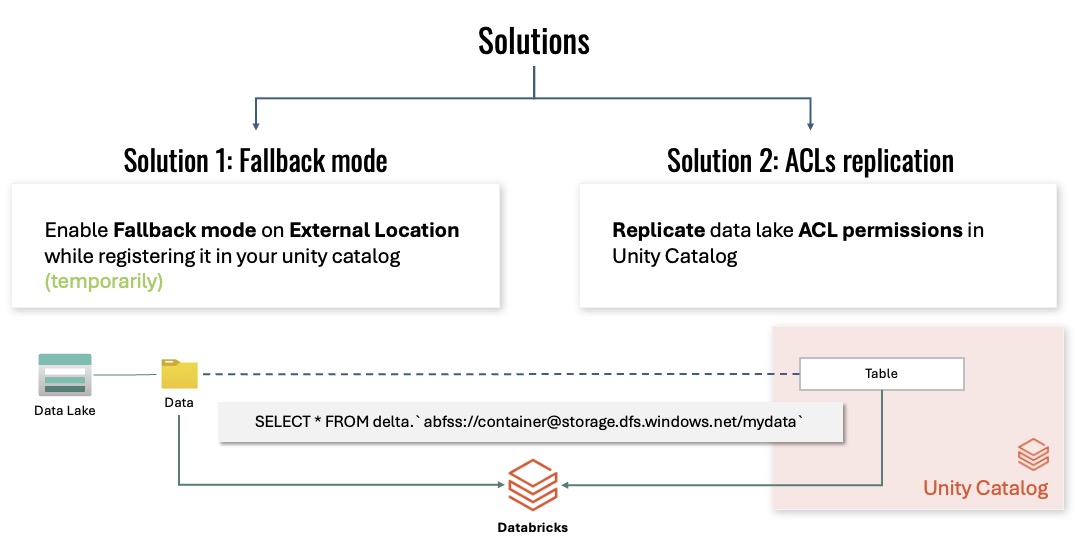
This slide gives you the two migration options:
- Fallback mode on external locations during UC registration,
- ACL replication from the data lake into Unity Catalog.
In our migration, fallback mode was the temporary bridge that let us register tables without breaking existing consumers.
Tip 14: the final gate is UC permissions plus data lake ACLs
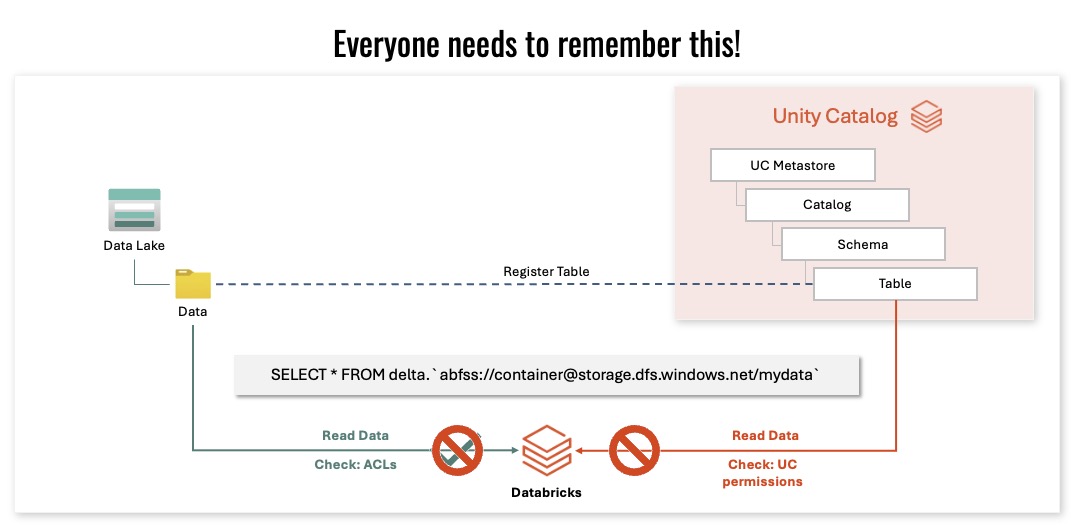
This final slide is the one everyone needs to remember.
When Databricks reads data, it checks:
- the UC permission model,
- the Data Lake ACLs.
If either gate fails, the workload fails. That is the most important single lesson from the presentation.
Final wrap-up
This post closes the series with the exact slides and commentary from the SQLday session.
If you’ve read the first five posts, this one should feel like the field guide for the last 10% of the migration effort.

