Highlight
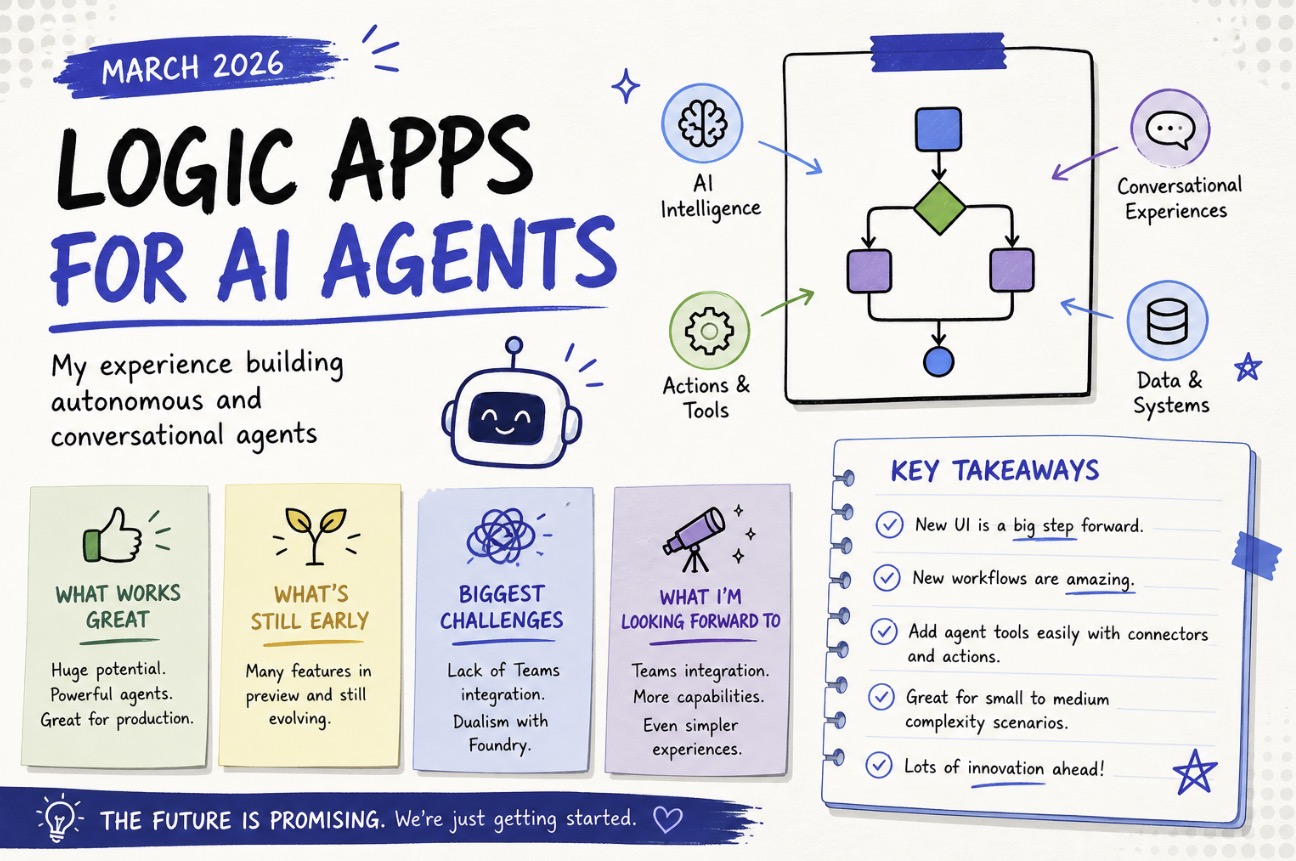
I’ve been building Logic App workflows for AI agents lately-both autonomous and conversational patterns-and the experience is interesting. This post summarizes what I found from the current documentation and my own experiments.
What works well today
The core experience is solid. Logic Apps now gives us a clean way to orchestrate agent behavior, connector actions, and tool calls in a single workflow.
- Great overall: the new agent workflow model is clearly a step forward.
- Already production-ready for many small-to-medium scenarios.
- New UI is great: it feels more modern and easier to follow than the old designer.
- New workflows are amazing: they reduce the fragmentation between prompt orchestration and action execution.
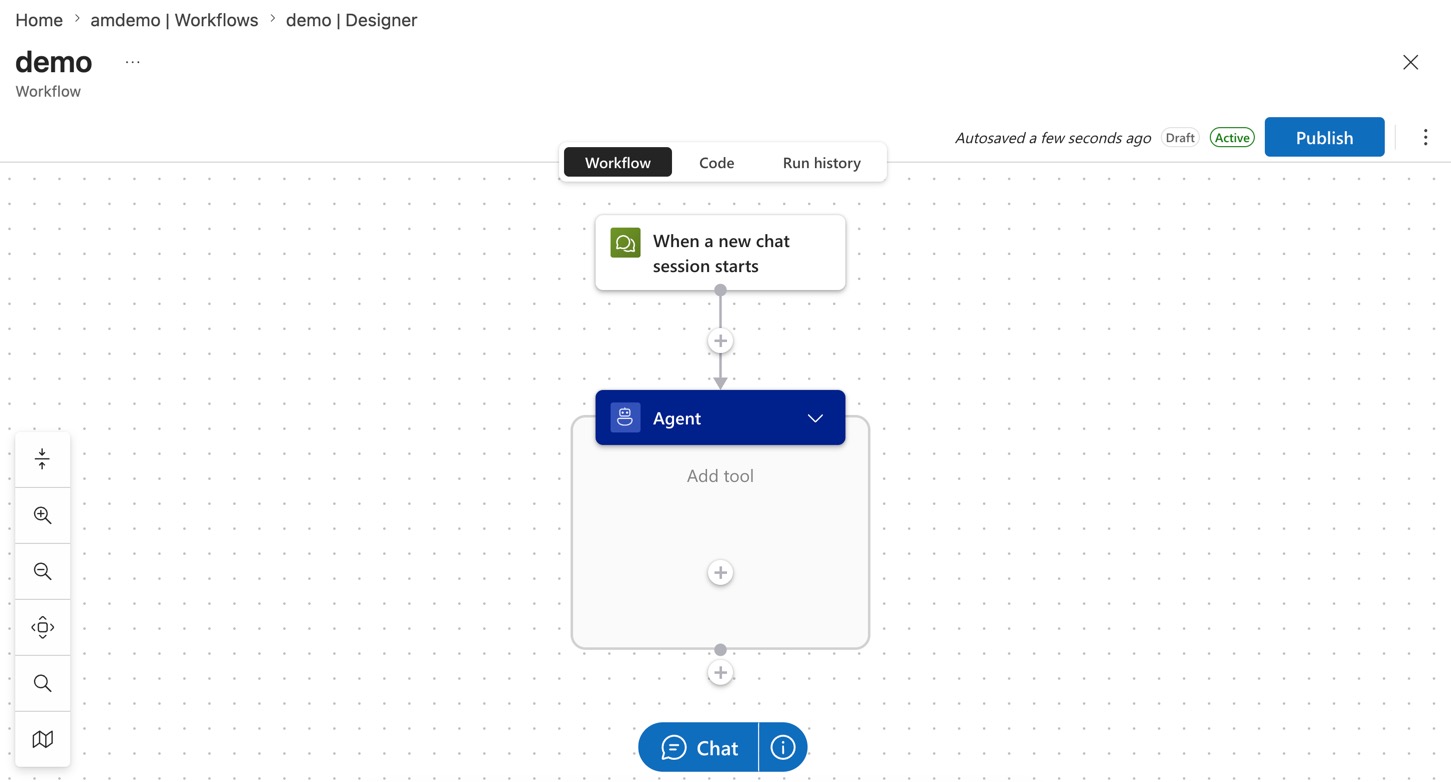
The workflow assistant model makes it easier to reason about a sequence such as:
- take user intent,
- decide whether to call a tool,
- execute connector actions,
- return a result.
That sequence is now a natural fit for Logic Apps instead of a custom glue layer.
What still feels early
There is a clear preview vibe in places. The docs show the capabilities, but they also show that the product is still evolving.
- Many scenarios in the current docs are preview.
- Some features are still not fully baked.
- There is no first-class Teams integration yet.
Preview gaps
This is not a reason to avoid the feature, but it is a reason to choose your projects carefully.
The documentation is useful, but it also makes it clear that a lot of the agent tooling is still gated behind preview labels. That means I would treat this as early adoption for anything beyond tightly scoped automation.
Teams missing
The biggest gap for me is Teams. The new workflows are compelling, but without a strong Teams story today, the conversational agent use case feels incomplete.
If you want a chat experience inside Teams, this is one of the areas where I have high hopes for the future. The rest of the agent authoring model looks like the right direction.
Autonomous and conversational agents
The docs separate the two flavors nicely:
- Autonomous agent workflows are best for task automation and decision sequences.
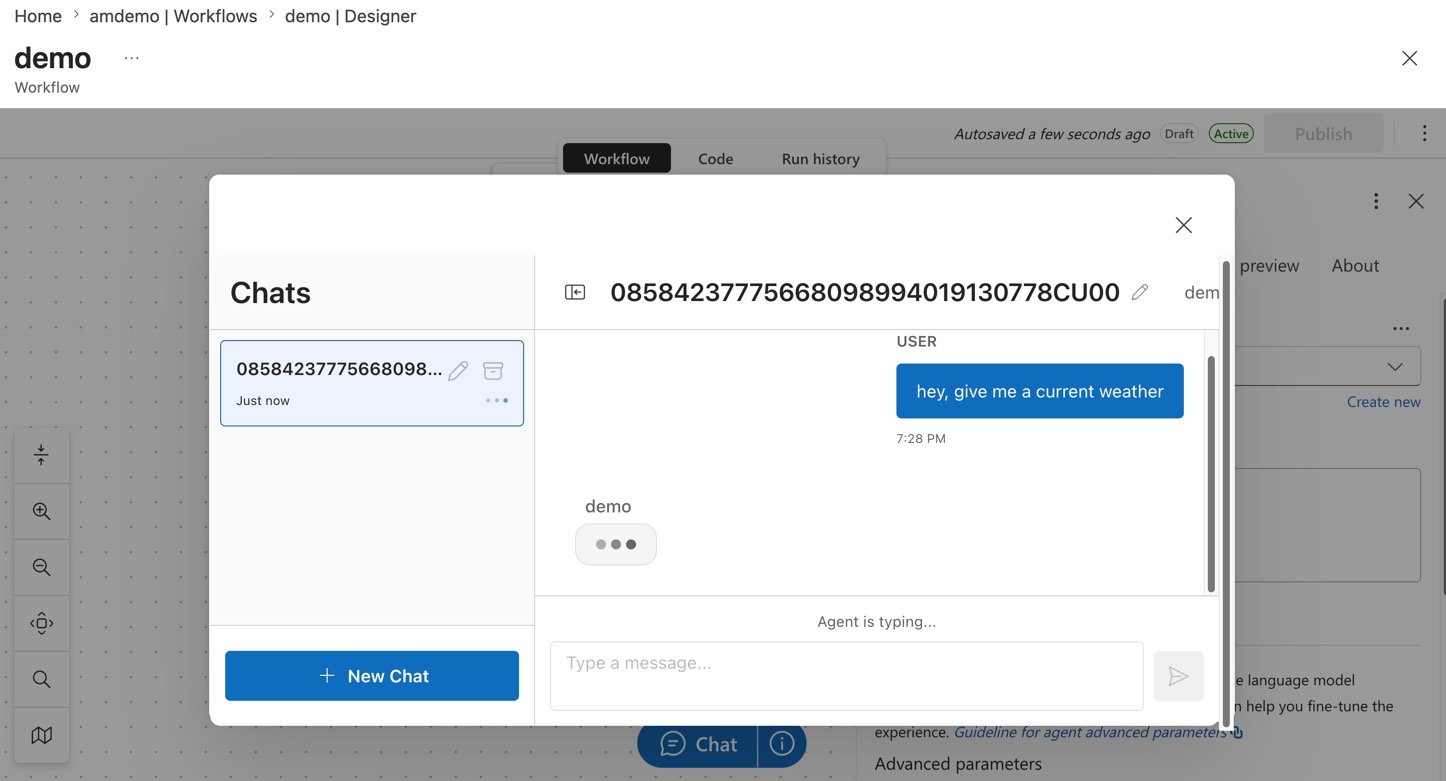
- Conversational agent workflows are best for chat-driven scenarios.
That split is useful, but it also creates a little dissonance when you compare it to Foundry.
The dualism problem
Foundry also lets you build workflows, and now Logic Apps does too. This is both good and confusing.
From a developer perspective, it feels like two worlds trying to solve the same problem:
- Foundry for an agent-centric orchestration layer,
- Logic Apps for workflow orchestration with agent features.
That dualism is disorienting, especially when you are trying to decide where the real boundary should be. For now, I treat Logic Apps as the workflow host and Foundry as the underlying AI/agent service.
New UI
New UI looks great, and I’ve found it to be way less buggy than the current one.
Remember to click preview
It’s still under preview to make sure to enable it

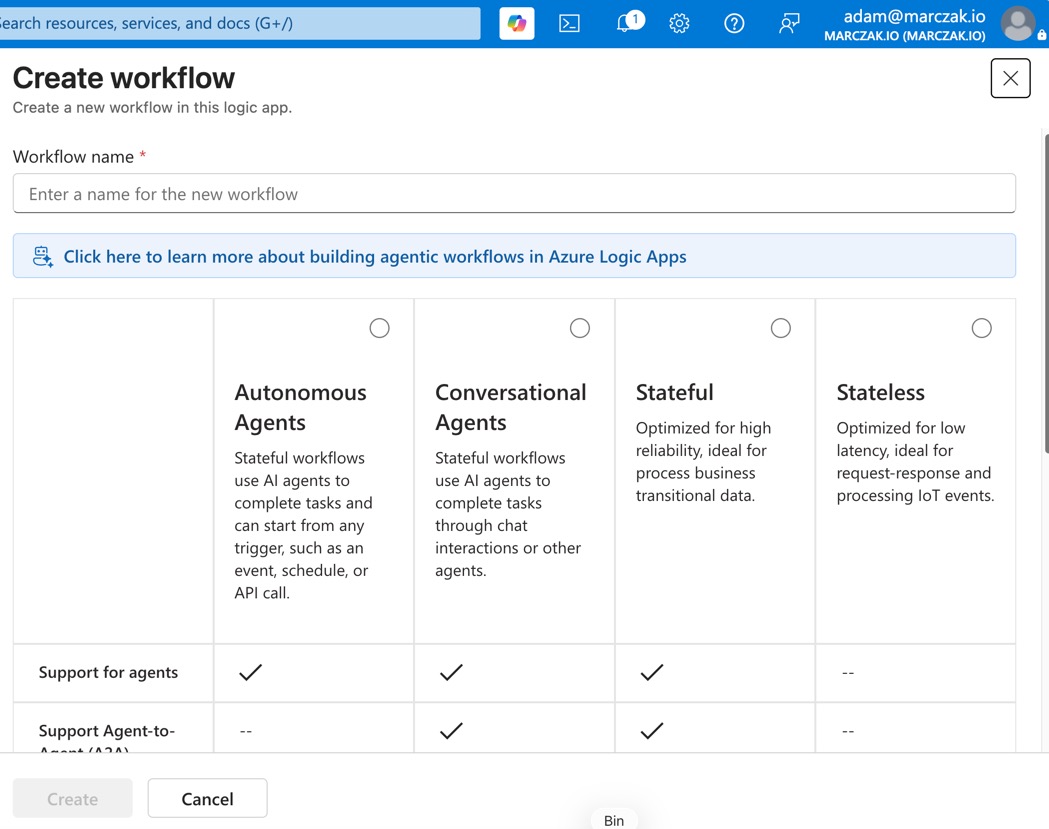
New workflow types
But for some reason, these are not available in the new UI. So make sure to revert back to add new workflows.
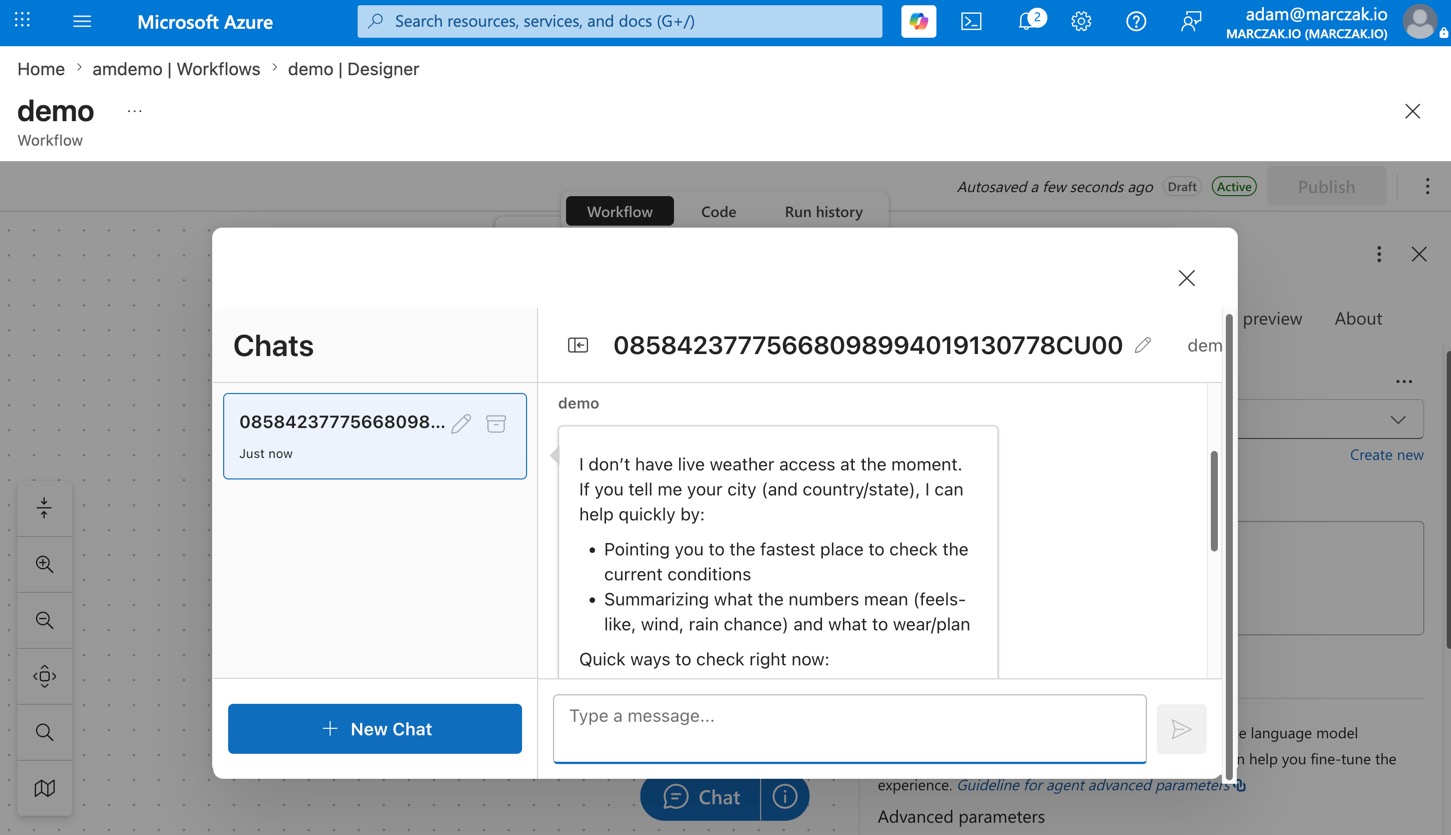
Practical use cases today
Where does this make sense now?
- small-to-medium automation that already lives in Logic Apps,
- workflows that need connector integration plus AI decisioning,
- cases where production reliability matters more than the newest preview feature.
Production scenarios
This is not a toy. Here are concrete examples where agent workflows make sense today:
Service desk automation
- a workflow reads an incoming request,
- calls an AI agent to classify the issue,
- triggers a connector action (like creating a ticket or notifying a team),
- updates a record or sends a notification back to the user.
Automation of Azure platforms for clients
- an agent reads a client request for resource provisioning,
- validates the request against organizational policies,
- calls Azure management APIs or Bicep deployments,
- tracks the request status and notifies the client when done.
ServiceNOW chatbots
- a conversational agent fields questions about open tickets or change requests,
- queries ServiceNOW via connector,
- provides status updates or creates new requests,
- escalates to a human when needed.
Data chatbots
- a user asks questions about business data,
- the agent queries a database or data lake connector,
- summarizes or transforms the results,
- returns the answer in natural language.
Sandbox environments for developers
- developers request temporary sandbox resources,
- an agent validates the request and approval chain,
- provisions an isolated environment via infrastructure API,
- sends back connection details and expiration info.
Checking status of service requests
- a status query workflow checks the state of pending requests or deployments,
- the agent pulls current state from multiple systems,
- correlates and summarizes the data,
- delivers a clear status to the user.
That kind of flow is a good fit today. It is still early for every scenario, but it already feels practical for many team workflows.
The good parts I keep coming back to
I like these points the most:
- the new designer makes it easier to maintain complex agent workflows.
- the agent workflow model is much more natural than custom orchestration.
- the connector action support is a strong foundation.
- the overall impression is positive: this is a good direction for Logic Apps.
The things I’m still watching
There are a few areas I am still waiting on:
- Teams integration
- more polished agent tooling in GA
- clearer guidance on when to use Logic Apps vs Foundry workflow
- richer preview-to-production stability
Docs I used
- Workflow Assistant Standard
- Create autonomous agent workflows
- Create conversational agent workflows
- Add agent tools connector actions
Final takeaway
This is a strong new chapter for Logic Apps. The preview label is real, but the experience is already useful in small and medium complexity production scenarios. The biggest missing piece today is Teams integration, and the dualism with Foundry workflows is the main design question I am still untangling.
Recommended next step
If you are already using Logic Apps Standard, start with a small agent workflow and learn the new designer. Use it for practical automation first, and keep Teams scenarios on your roadmap for the next wave.

