Highlight
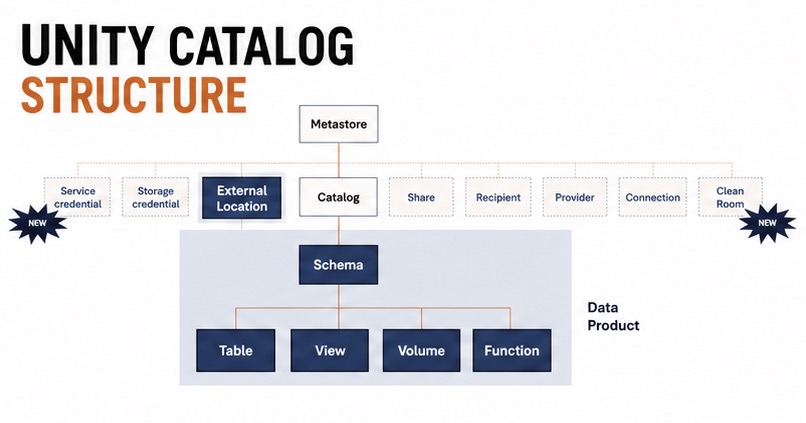
In our platform, one of the first questions we answered was: what is a project in Unity Catalog? That decision shaped every later governance and onboarding choice.
Lesson 1: project = schema + external location
The challenge we faced
When a new team arrived, they asked: “Do you give me a catalog or only a schema?”
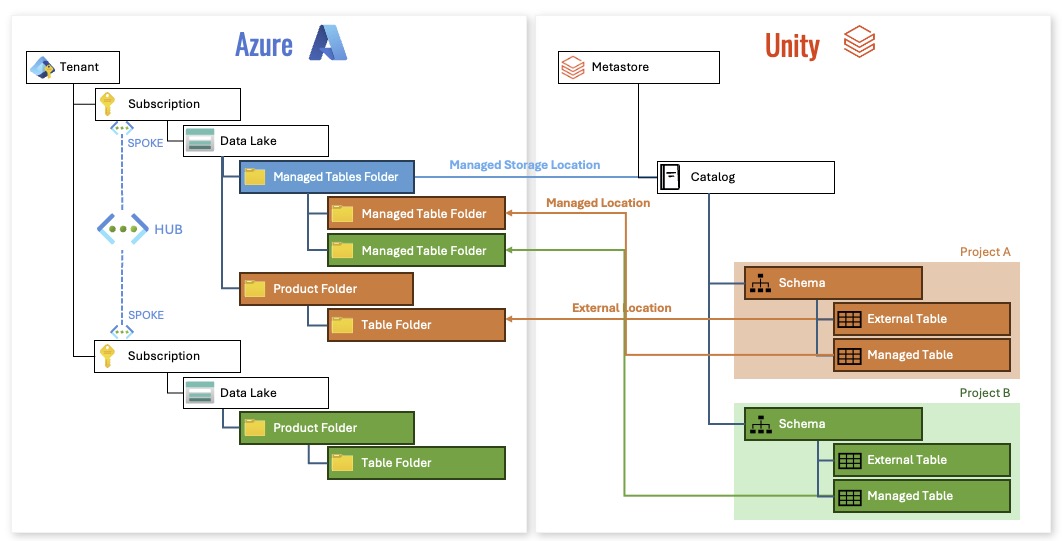
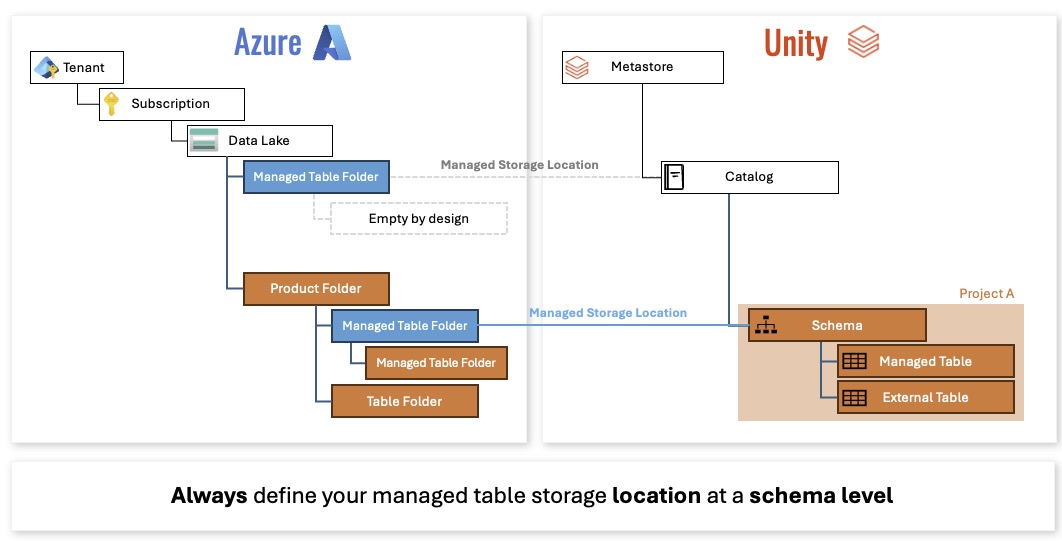
In our model, the answer was clear: a project owns a schema, and the schema is always paired with an external location.
That gives us one standard package for every team:
- schema,
- external location,
- required storage credential.
Why this works
This structure is practical because Unity Catalog requires an external location to create objects in the schema. If you separate those concepts too much, teams end up with inconsistent environments.
Lesson 2: external location is not the same as schema
The surprise
We discovered that external location is a first-class object, not just a detail.
An external location defines where the data lives. A schema defines what the data is. The relationship is strong, but the objects are distinct.
That meant we had to teach teams:
- schema is their namespace,
- external location is the storage door,
- storage credential is the access key.
Lesson 3: account and metastore are tenant-level decisions
Unity Catalog is not only about per-project structure. The account object sits at the tenant level and owns important toggles.
This is the part many teams miss:
- the Unity account is a tenant-wide service,
- it is not a single subscription construct,
- account settings can affect every project in the tenant.
Practical guidance
We mapped the Unity structure like this:
- tenant-level account team,
- centralized metastore/account administration,
- project teams owning schema/content below that.
Lesson 4: foreign catalogs are part of the story
The old Hive metastore may have been external, but Unity treats it as a catalog-like object.
That means both built-in Databricks metastores and external Hive metastores can behave like foreign catalogs. For our migration, the important point was this: Unity Catalog is not a single monolith, it is a graph of catalog objects.
What this means for your design
When you are defining your Unity Catalog structure:
- define project boundaries as schemas,
- make external locations reusable,
- keep the account/tenant team separate from the workload teams,
- avoid giving every team direct access to account-level switches.

