Highlight
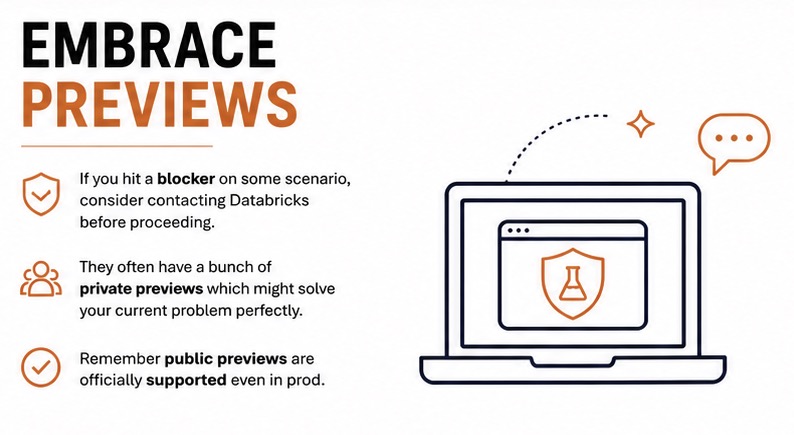
The most surprising part of our Databricks migration was this: without previews, we would not have finished. The features we used were not in plain sight, but they were the only path through several blockers.
Lesson 1: Preview is not a dirty word in Databricks
The challenge we faced
In Azure, preview often feels like “not production ready.” In Databricks, the preview model is different.
We discovered that:
- private preview features can still be stable enough for migration,
- public preview in Databricks often has SLA-level support,
- the right ask is not “can we use a preview?” but “what feature solves this issue?”.
That mindset changed the migration.
Lesson 2: Shared cluster package restrictions
What happened
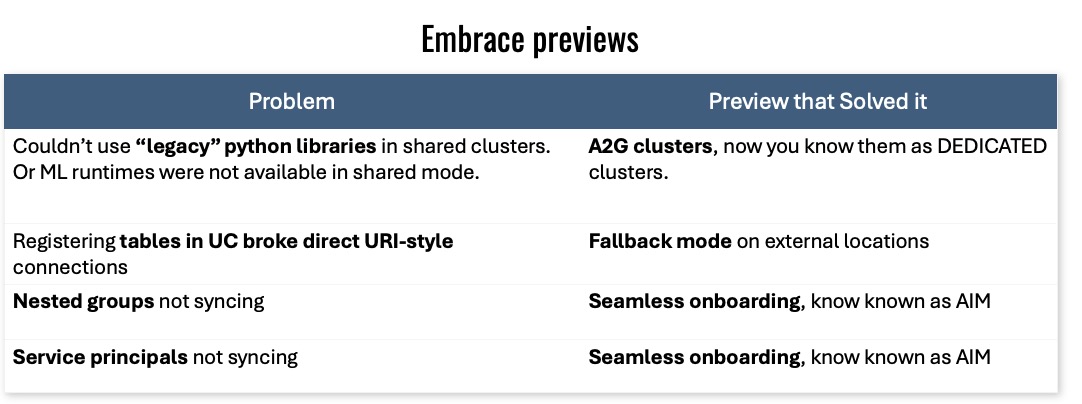
We moved code to Unity and ran it on a shared cluster. The code failed because a required Maven package could not be installed.
The documentation said we needed to allow the package. We did that, and the same error still came back.
The real blocker
Databricks explained the shared cluster security mode was the issue. Any package that performs Spark actions would never work on those clusters.
That meant our migration path was blocked until we asked for a preview feature.
The preview fix
The answer was a preview option originally called A-to-G clusters, and today known as dedicated clusters.
Result: the same legacy code started working on a dedicated cluster, without a rewrite.
Lesson 3: Compatibility mode saved table registration
What we learned
Unity Catalog registration can expose old assumptions in existing solutions. We had cases where table registration in Unity broke existing pipelines.
The fix came from Databricks support again: a fallback mode preview that preserved compatibility for the old workflow.
Practical takeaway
If a Unity Catalog operation seems to break your existing design, there is a strong chance there is a compatibility or onboarding preview feature to ask for.
Lesson 4: Identity onboarding was simpler than it looked
The issue
Nested groups and onboarding were not behaving consistently in the early migration. That made governance harder than it needed to be.
The solution
Databricks previewed an automatic identity management feature. Once enabled, the onboarding flow became more reliable and the identity model behaved as expected.
It is now available publicly, but during our migration it was one of the features that made the whole project possible.
How to use previews responsibly
When you are in migration mode:
- log every blocker clearly,
- ask Databricks support for the feature name,
- verify whether it is private preview or public preview,
- document the risk and the expected support level.
This is not a license to blindly use every preview. It is a way to find the engineered path through the migration.
A practical preview checklist
- shared cluster limitations
- package install restrictions
- legacy table registration compatibility
- nested group / identity behavior
- tenant-wide account switches

