Highlight
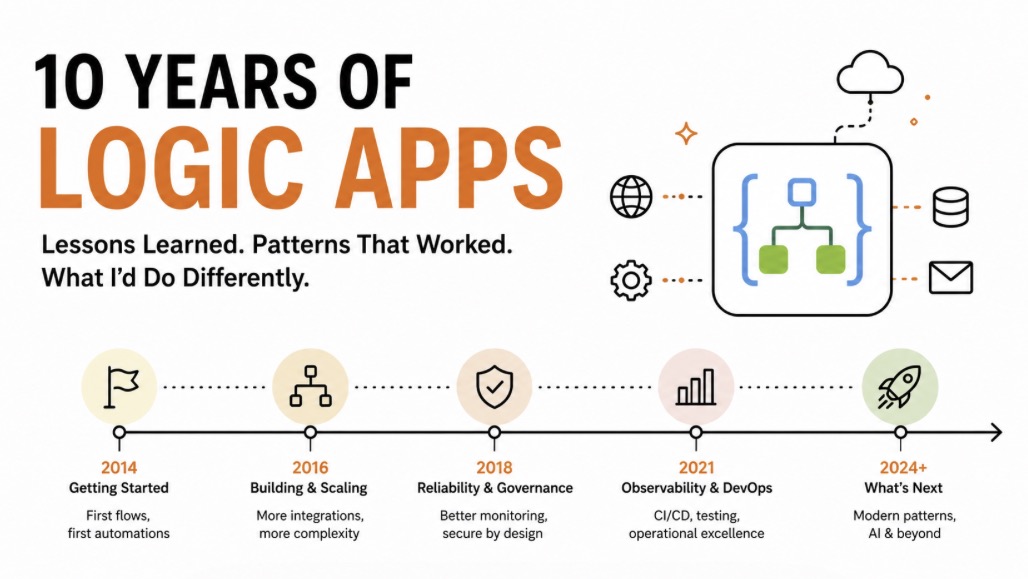
Over the past decade, Azure Logic Apps has been my go-to for building reliable, scalable integrations without the hassle of custom code. Trust me, it’s transformed how I approach automation; let me share why.
The Evolution of My Love Affair
Back in 2019, I started with simple workflows for Azure Analysis Services refreshes. Logic Apps made it easy to schedule and monitor without writing code. By 2020, I was scraping YouTube stats for reporting; built in an hour what took 200 lines in Functions. No maintenance, built-in parallelization, and MSI for security. That was the hook.
Over the years, I’ve used it for everything: billing automation, data pipelines, API integrations. The visual designer lets me prototype fast, and the Standard SKU unlocked enterprise features. But I’ve learned the hard way about costs, SKU differences, and storage quirks.
Why Logic Apps Wins for Me
Practically speaking, Logic Apps excels where code gets messy. It’s reliable in production, handles retries and errors out-of-the-box, and scales without breaking the bank if you optimize.
Visual Flow: Drag-and-drop beats coding for quick integrations. See the process, debug easily.
No-Code Maintenance: Built-in connectors mean less code to maintain. MSI for auth, obfuscated secrets; secure by default.
Cost-Effective at Scale: In-app connectors save ~90% vs Azure connectors. Monitor usage to avoid surprises.
Enterprise Ready: Standard SKU adds advanced triggers/actions, concurrency control, and better networking.
Reliability: Processes millions of messages without issues. Built-in logging and monitoring.
Top Tips and Tricks from a Decade
From my 20+ posts on Logic Apps, here are the key lessons:
-
Connector Costs Matter: Use in-app connectors in Standard SKU; they’re free vs paid Azure connectors. Saved us $2,737/month by switching.
-
SKU Differences Are Real: Triggers/actions vary between Consumption and Standard. In-app connectors run on your App Service, Azure ones on Microsoft’s infra. Check parity before migrating.
-
Storage Can’t Be Shared: Each Logic App needs its own storage account to avoid container collisions. Use dedicated accounts or consider SQL DB state (preview).
-
Monitor and Optimize: Find underutilized apps with scripts. Disable workflows during deployments. Watch for orphaned API connections.
-
Networking and Security: In-app connectors respect your VNet/firewalls. Use private endpoints for storage, but minimize them for cost.
-
Git Integration and CI/CD: Standard SKU supports source control. Use ARM templates for deployments, but handle secrets carefully.
-
Concurrency and Parallelization: Control batch sizes and degrees of parallelism to optimize performance and costs.
-
Avoid Personal Accounts: Use service principals for connections to prevent lockouts.
-
Try-Catch-Finally: Implement proper error handling; Logic Apps supports scopes for this.
-
Export and Hide: Export workflows for backups. Hide storage keys in logs for security.
Lessons Learned
The biggest surprises: connector pricing in Standard, storage isolation, and SKU migration gotchas. But these made me a better architect. Logic Apps isn’t perfect; costs can creep up, and some features lag; but for practical automation, it’s unbeatable.
Related Reading
- Logic App Tips: In-App vs Azure connector costs
- Logic App Tips: Storage Accounts can’t be shared
- Logic App Tips: Triggers and Actions vary between SKUs
- Scraping YouTube with Logic Apps
Happy building! 🚀

