Highlight
Microsoft just added Logic Apps Automation to the mix. Technically, it’s a new SKU, but it brings so much more.
Here’s the thing: after going through the public Logic Apps Labs content, one nuance became very clear. Logic Apps Automation is new, but agentic Logic Apps is not. Conversational agents, autonomous agents, MCP integration, and even deployable chat experiences already show up across the broader Azure Logic Apps story.
Currently this feature is in preview, so treat it as such.
Quick overview
So here is a quick 3-min summary of Logic Apps Automation
- New SKU but the same engine of logic apps, so still access to 1400+ connectors
- AI-first design means different design principles and a different way to build AI solutions
- New management objects/structure to even better govern your logic apps
- New Automation portal (https://auto.azure.com) with a completely new designer
- 0-N scaling to even better support small to medium solutions
- Sandboxes for AI testing
What the Logic Apps Labs site makes very clear is that Microsoft is building a broader agentic story across Logic Apps, not only inside Automation. The labs already cover conversational agents, autonomous agents, multi-agent patterns, A2A, MCP tools, and Logic Apps acting as MCP servers.
Here is what is still missing as of today (still in preview)
- No CICD/deployment options
- No way to export the code of whole solution, versioning exists as a built-in feature, but it’s on the workflow level
- Conversational workflows are not supported in Automation today, but they are already documented in Logic Apps Labs for Consumption and Standard
- I know the intention is for this to have VNET integration, but it is missing in the preview state
New marketplace option
Now when creating a new Azure Logic App from the marketplace, you will see a new option in the UI
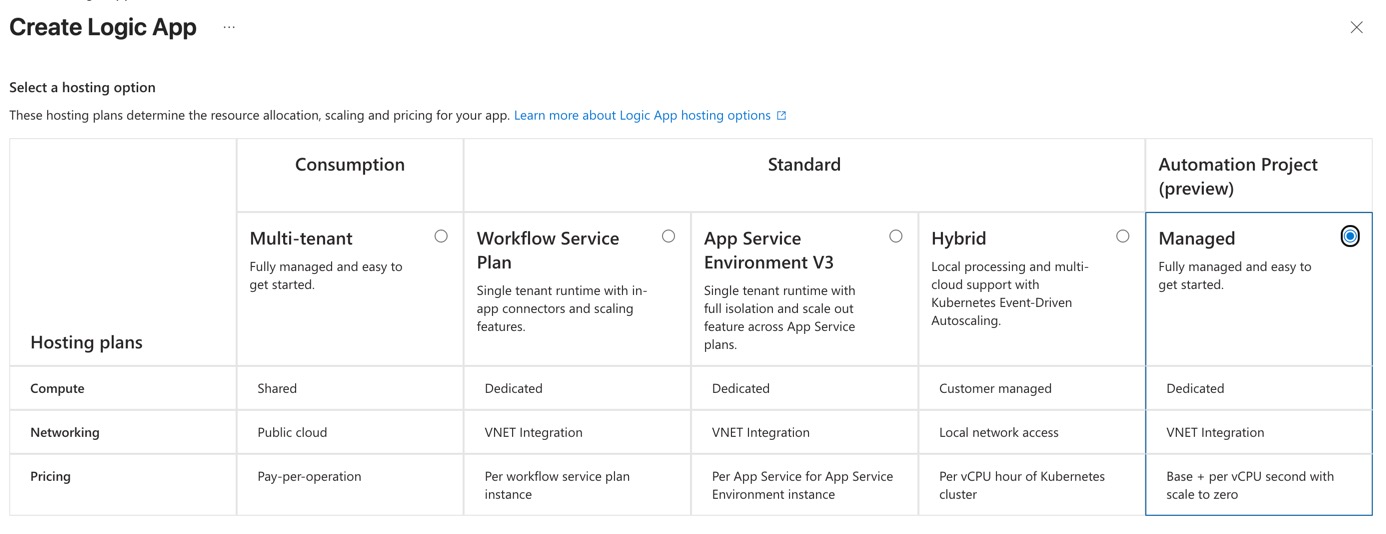
Note: for this option to appear, you need to be enrolled in the preview.
New structure
Logic App Automations is a bit different. Below diagram presents it’s current structure.
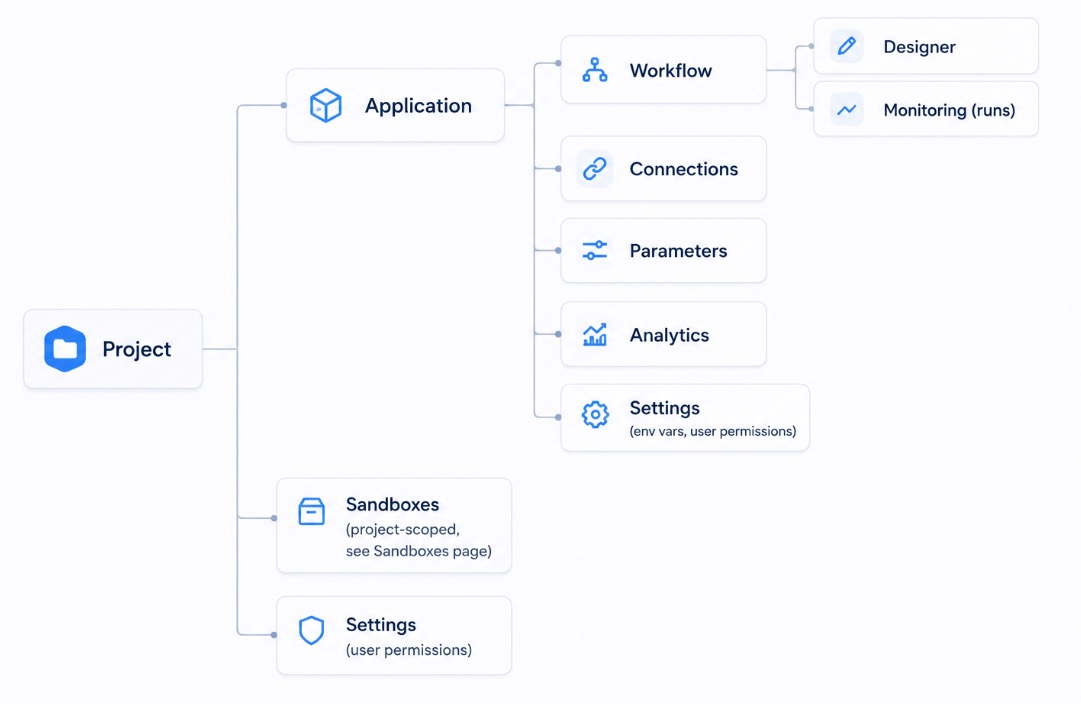
What I’ve noticed
- Sandboxes are new, this is for AI testing scenarios
- Extra hierarchy, Apps are now bundled in projects (more on this in the following section)
- Rest is mostly the same
Ref: https://auto.azure.com/docs/features/projects-and-applications/
Resource Matching
In this table you can see how the new structure maps to the current one.
| Level | Consumption | Standard | Automation |
|---|---|---|---|
| Project | ❌Resource Group(technically?) | ❌ Resource Group(technically?) | Automations ProjectAzure resource |
| Group of workflows | ❌ | Logic App (Standard) Azure resource | ApplicationAzure child resource |
| Workflow | Logic App (Consumption)Azure resource | WorkflowJSON code in wwwroot | WorkflowJSON code |
With new level of hierarchy it will be easier for you to manage a group of projects in Azure Automation. What are the use-cases, of course time will tell.
Things that I’ve tested and stood out to me
- The code of workflows is not visible in ARM template of logic apps automation
- Export Template tool fails in Azure Portal, it’s not yet supported
- Code can be copy-pasted from automation portal
- There is no code definition of entire automation project, most likely will come in the future
New Portal
New Logic App portal is available at https://auto.azure.com/. This doesn’t replace current Azure Portal, it’s just a new portal for Logic App Automation.
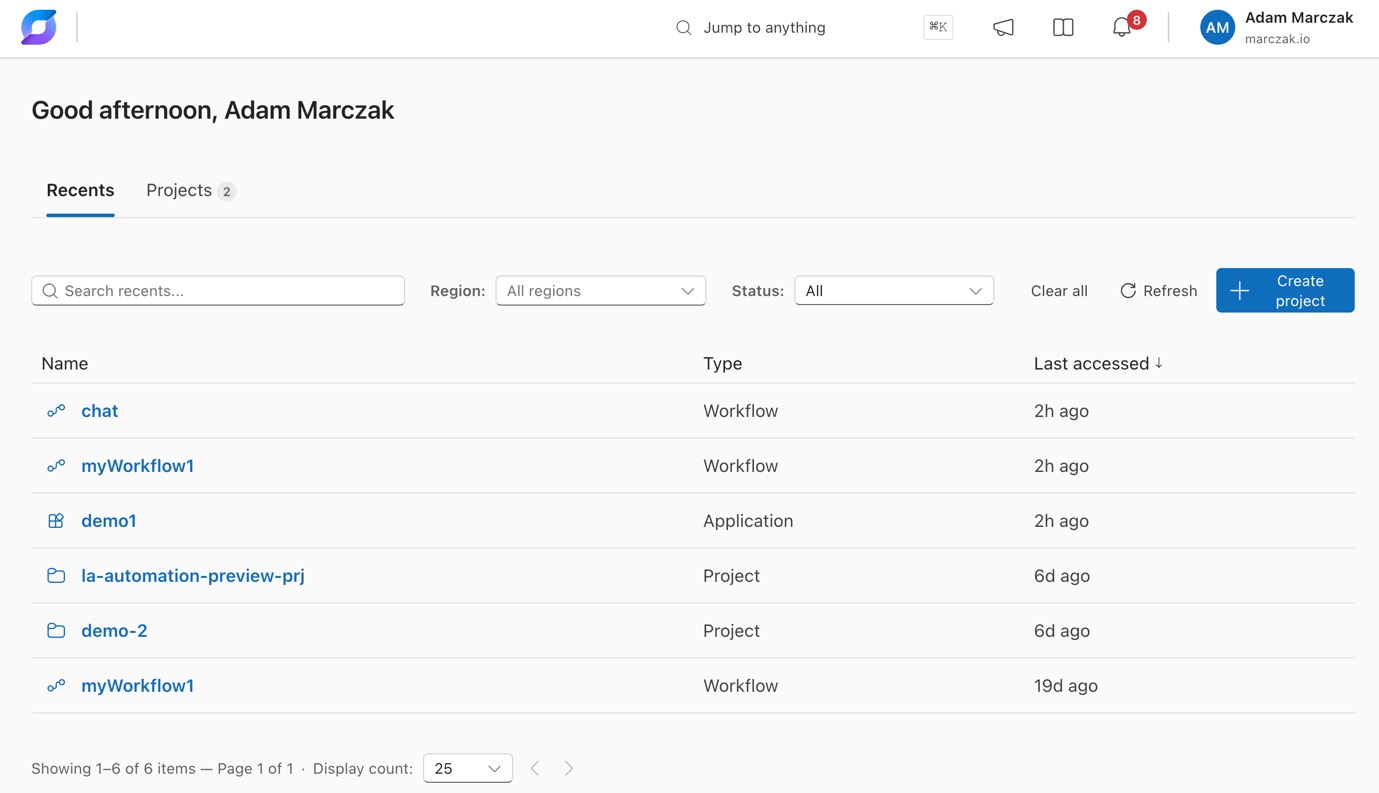
Resources in portal.azure.com vs auto.azure.com
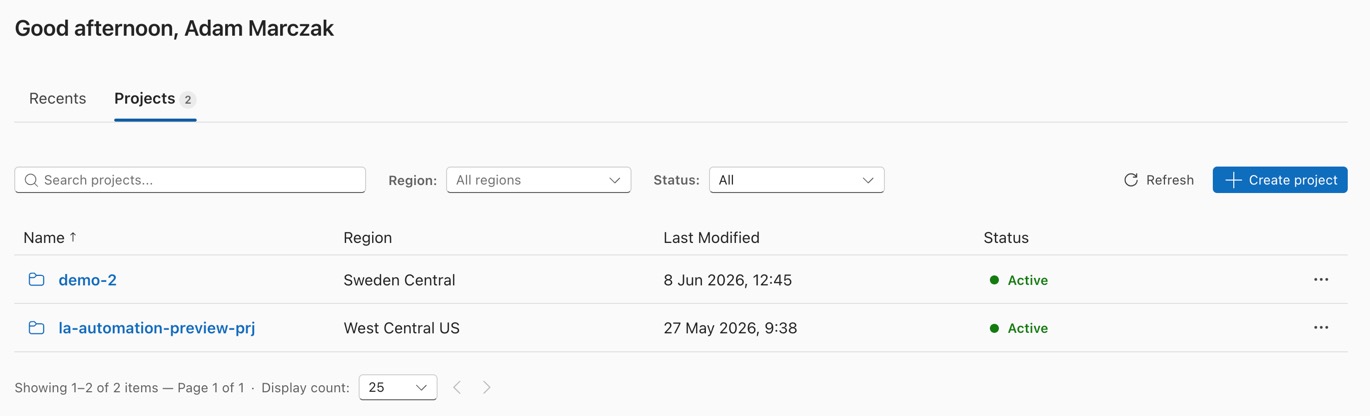
If you open https://auto.azure.com and navigate to projects you can see projects you’ve created.
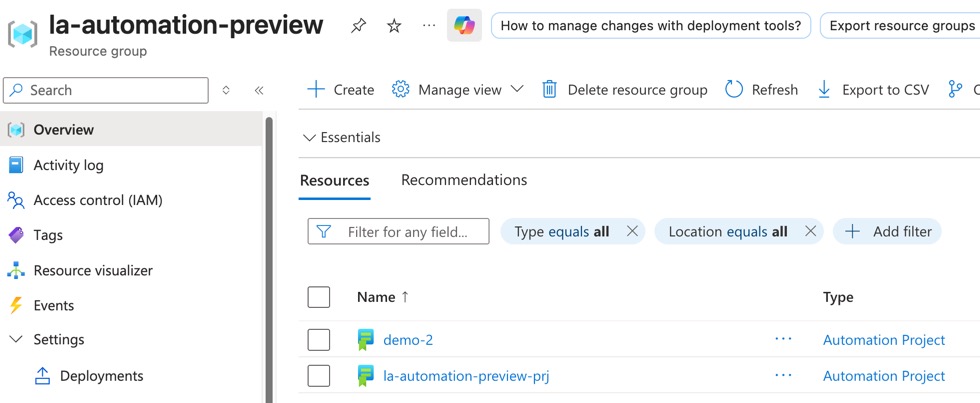
And in Azure portal resource group, each project is a separate resource.
New Developer Experince (UI)
This UI reminds me of N8N, so it’s a good choice that has proven its value. Experience overall is very fluid.
Differences in typical workflow
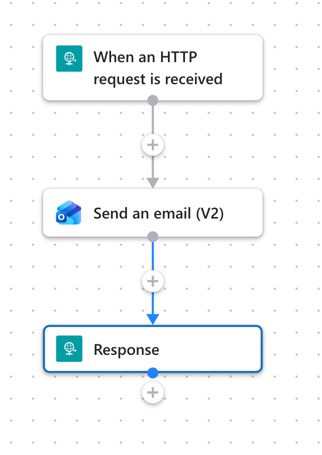
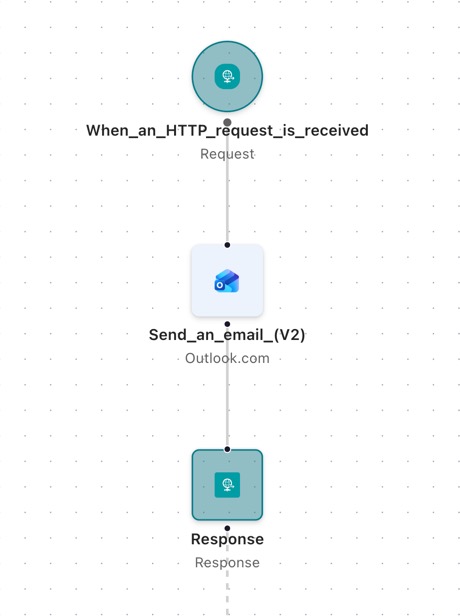
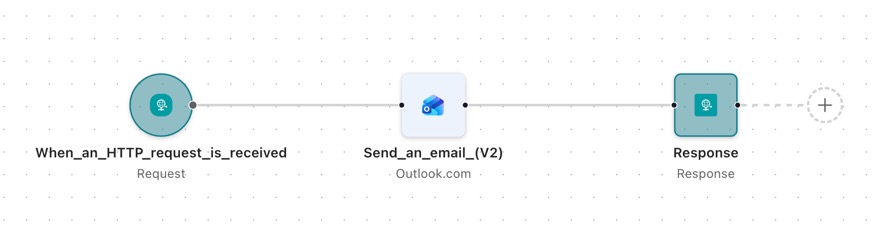
This is a simple HTML api which sends and email
| LA Standard | LA Automation |
|---|---|
|
|
Key things I’ve noticed
- Automations supports both horizontal and vertical layouts
- UI is different, but options are mostly the same
- I’ve built a few logic apps and everything worked the same way
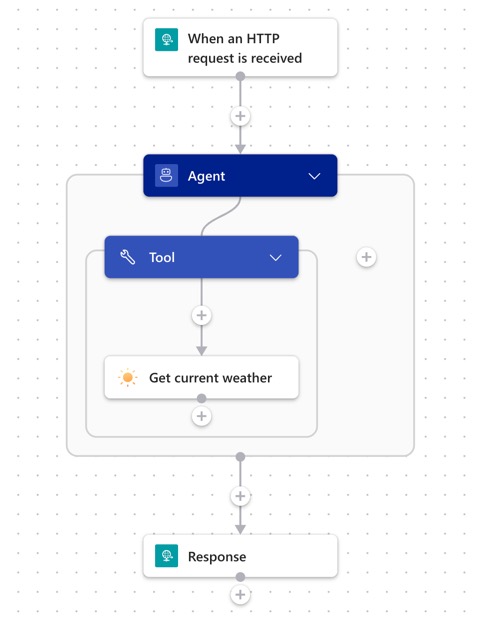
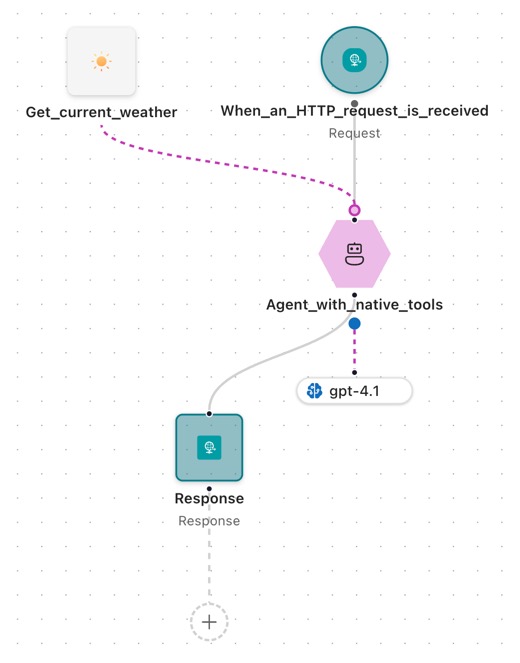
This is a simple agent workflow
| LA Standard | LA Automation |
|---|---|
|
|
Key things I’ve noticed
- Agent workflow look a bit different too, but mostly the same
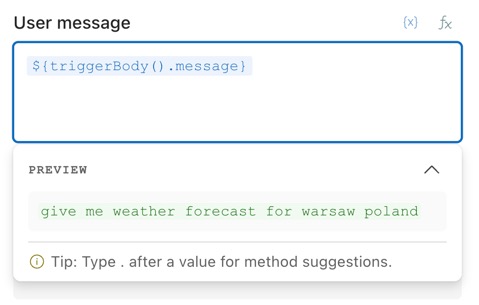
- Previews of parameter values are amazing, big props!
![]()
- Not all models are supported yet, my workflows failed with GPT 5.1, but worked with 4.1, where in Logic App standard they worked fine
Run history
Logic App Standard history example
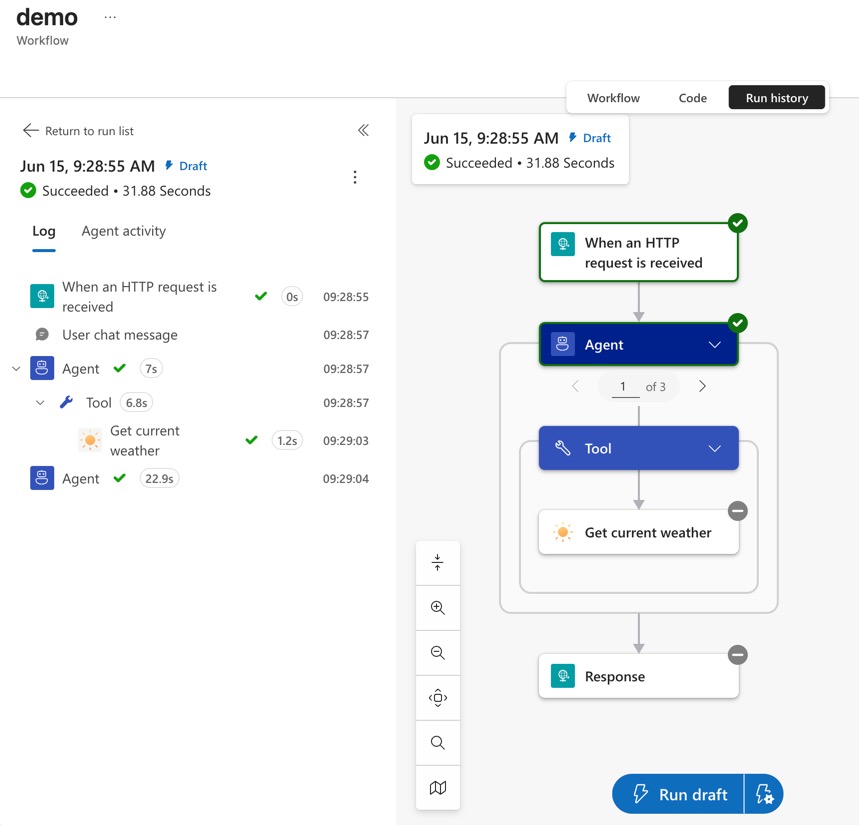
Logic App Automation history example
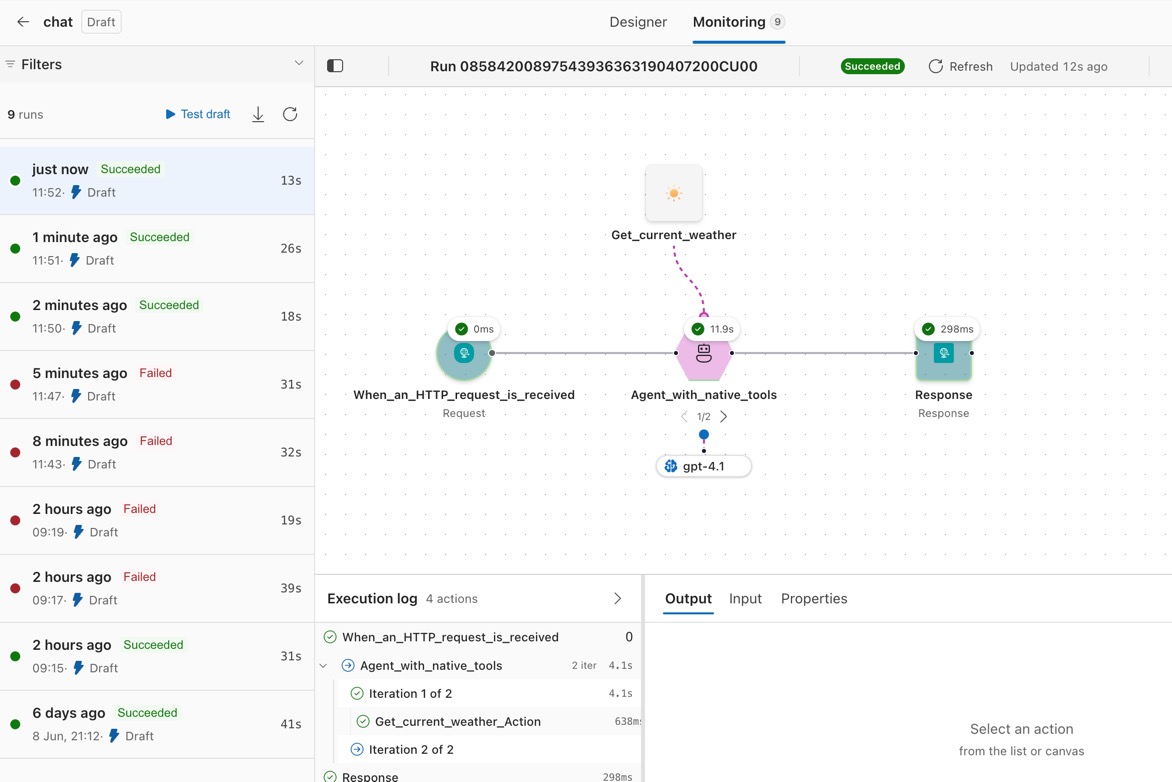
Key things I’ve noticed
- Logic app automation has realtime history, which is amazing!
- Experience overall is much smoother in automation, but it isn’t bad in standard either
- History looks more compact across workflow, much better AI support
Contrasting with current logic apps SKUs
So what’s different?
Hosting and scaling
Here are top things from the perspective of hosting new agents
| Area | Consumption | Standard | Automation |
|---|---|---|---|
| Runtime model | Multitenant Logic Apps runtime | Single-tenant Logic Apps runtime | Single-tenant Logic Apps runtime |
| Compute management | Microsoft-managed shared infrastructure | Customer-provisioned hosting capacity | Microsoft-managed hosting capacity |
| Runtime isolation | Shared | Dedicated runtime boundary | Dedicated runtime boundary |
| Scale-to-zero | Yes | No | Yes |
| Automatic scale-out | Yes | Yes (1–N) | Yes (0–N) |
| Multiple workflows per resource | No (1 workflow per Logic App resource) | Yes | Yes |
| VNET/private networking | Limited via connectors | Yes | Yes, but available yet in preview |
Pricing model
Cost for automation isn’t finalized, but here is a high level overview
Important: Automation is still in preview, and pricing model isn’t announced yet, so my findings are just current state, and things might change.
I’ve been testing it and all I’ve got was 0.03 USD cost, most days didn’t even reach 0.01 USD so they are not visible in ACM. But this is not a representative of future pricing because I was just doing adhoc development. No schedules or event based workflows.
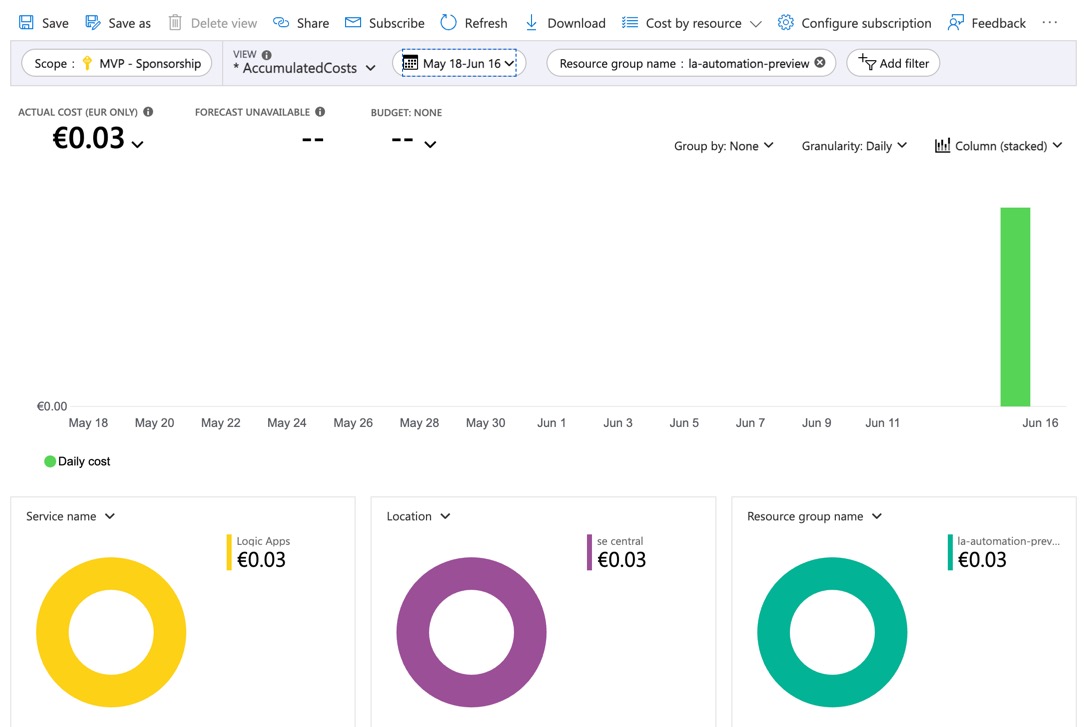
And meter level info
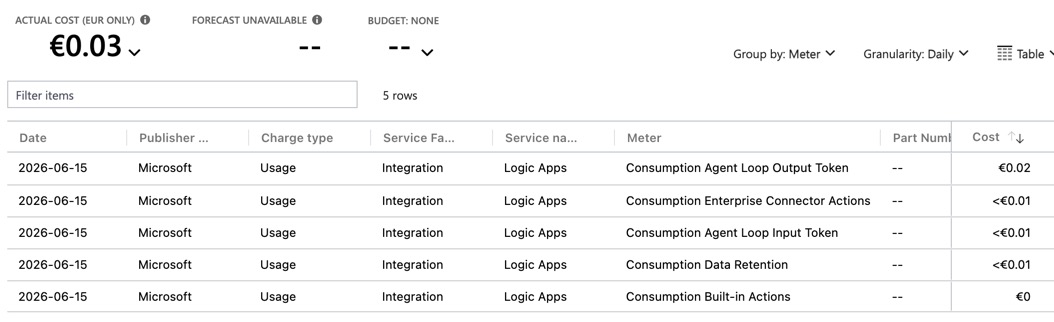
| Area | Consumption | Standard | Automation |
|---|---|---|---|
| Billing approach | Per executed action | Provisioned capcity + autoscaled instances | Based on scaled units uptime |
| Pay per action/trigger | Yes | No | No |
| Pay for reserved capacity | No | Yes | No |
| Pay when completely idle | No | Yes | No |
| Cost predictability | Lower at high scale | Highest | Moderate to high |
| Cost efficiency for sporadic workloads | Excellent | Poor | Excellent |
| Cost efficiency for sustained workloads | Can become expensive | Excellent | Depends on workload profile |
Decision guidance
Might change in the future, I’m a bit trying to guess here based on the direction
| Scenario | Recommended SKU |
|---|---|
| Simple event-driven automation | Consumption |
| AI workloads | Automation |
| Low-volume departmental workflows | Consumption or Automation |
| Highly variable workloads needing isolation | Automation |
| Workloads with long idle periods and traffic bursts | Automation |
| Enterprise integration platform | Standard |
| SAP, EDI, B2B integration | Standard |
| High-throughput API orchestration | Standard |
| Central Integration Services platform | Standard |
| Predictable 24x7 workload | Standard |
Related Reading
- What is Logic Apps Automation?
- Logic Apps Automation docs
- Logic Apps Labs overview
- Build your first conversational agent in Azure Logic Apps
- Deploy your agentic workflows and clients
- MCP overview for Logic Apps agents
- Compare Logic Apps Automation, Azure Logic Apps, Microsoft Copilot Studio, and other automation platforms
This is the useful mental model: Logic Apps Automation is not “AI finally arrived in Logic Apps”. It is Microsoft packaging agentic workflow capabilities into a new, more opinionated, AI-native SKU. Standard and Consumption are still very relevant, and Logic Apps Labs proves that a lot of the agent story is already there today.

